The Pool Player
AfterEffects Title Animation

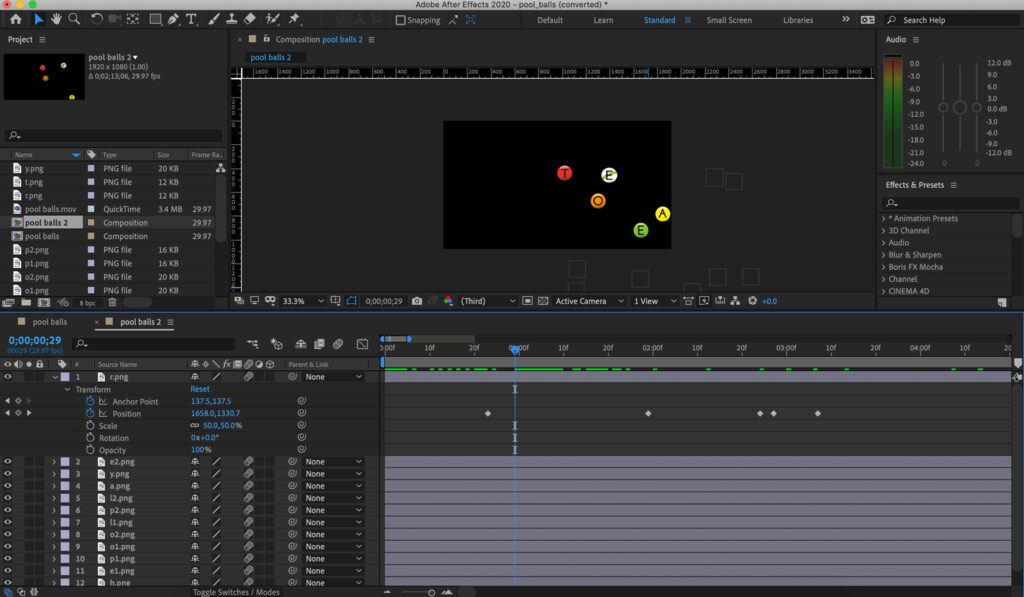
Motion graphic animation is used to spell out the title of the film, using pool balls, simulating their movement just after a break.
Illustrations










Adobe Illustrator tools—ellipse, text type, color panel and gradient tools with inner drop shadow and inner glow effects, layering color, effects and text—were used to create illustrations of the pool balls.
Steps in the animation process
1. Import the illustrations into AfterEffects.
2. Give each a layer in the sequence of letters in the title and adjust scale.
3. Adjust position, timing and motion paths on the timeline, until the effect is right.
4. Animate the layers using AfterEffects tools, keyframing, properties and selectors.